
Flying Car Simulator Unblocked — Play Free Online
More Driving games

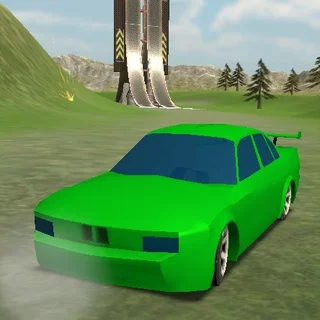

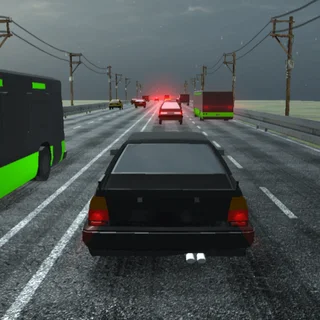


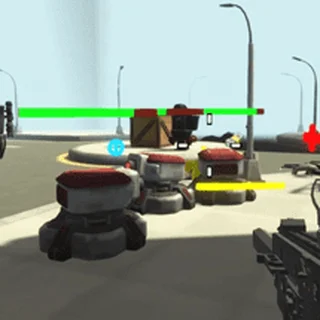





Flying Car Simulator unblocked: play Flying Car Simulator online free right here in your browser — no download, no sign-up, works on a school Chromebook.
Flying Car Simulator is a 3D driving simulation developed by Blue Axis and released in June 2019. The game blends urban street cruising with aerial navigation, allowing you to drive high-performance sports cars through city avenues and deploy wings mid-stride to soar above high-rise buildings. You can experience both high-speed ground handling and airborne flight directly in your desktop browser without downloading extra software.
Unlike standard racing games that keep wheels planted firmly on the tarmac, Flying Car Simulator gives players full vertical freedom. You can weave through street intersections, launch off ramps, or transition instantly into steady aerial flight to explore the skyline from above.
Key features
- Dual vehicle mechanics: transition between street driving and open-air flight at any moment with a single key press.
- Nitro boost system: ignite speed bursts using the Shift key to achieve rapid acceleration on straightaways and during ascents.
- Expansive 3D environment: navigate open urban roads, highway overpasses, and open airspace surrounding skyscrapers.
- Ground and air physics: manage tire grip on asphalt roads along with aerodynamic lift and pitch angles while cruising overhead.
- Direct browser access: launch straight into gameplay through standard web browsers without downloads or account setups.
How to play
- Launch the game in your browser and build forward speed along the street using the WASD keys or Arrow keys.
- Press the F key once you gain sufficient road speed to extend wings and lift your vehicle into flight mode.
- Engage the Shift key to activate nitro acceleration, providing the thrust needed to gain altitude and clear urban structures.
- Adjust steering and pitch to glide smoothly above the city rooftops while observing open spaces below.
- Align your vehicle over an empty road, disengage flight mode with the F key, and tap the Spacebar handbrake to touch down safely.
Controls
| Action | Keyboard |
|---|---|
| Steer and accelerate | WASD or Arrow keys |
| Toggle flight mode | F |
| Activate nitro boost | Shift |
| Handbrake | Spacebar or Space |
Flight and driving mechanics
Mastering Flying Car Simulator requires understanding the distinct handling models for ground travel and aerial navigation. On the street, your car behaves like a traditional sports vehicle where sharp cornering at top speed causes wide drift angles. Releasing the throttle before entering tight corners keeps the chassis stable and prevents collisions with roadside barriers.
Once you trigger flight mode using the F key, the dynamics switch to aerial physics. Forward momentum generates lift, while nitro boosts via the Shift key deliver immediate climbing power. Airborne movement demands gentle steering inputs, as sudden turns can bleed forward speed and lower your vehicle toward ground hazards.
Tips and strategy
- Gain momentum before taking off: extending wings from a complete stop will not generate enough aerodynamic lift, so build straight-line ground speed first.
- Save nitro for steep ascents: trigger your speed boost during vertical climbs to clear skyscraper rooftops cleanly without stalling.
- Line up before touching down: align the nose with a long, straight roadway before turning off flight mode to prevent rollovers upon landing.
- Ease off throttle in tight turns: entering city street corners at full acceleration causes the car to slide into obstacles, so tap the brakes beforehand.
- Use the handbrake for rapid stops: pressing the Spacebar immediately upon landing halts ground momentum and keeps the car within road boundaries.
Versions and similar games
Flying Car Simulator delivers a distinct solo driving experience on Fireboy and Watergirl. While popular cooperative puzzle titles on the site like Fireboy and Watergirl, Duo Vikings, and Double Panda focus on coordinated teamwork and platform navigation, Flying Car Simulator offers open-ended vehicle exploration and flight stunts in full 3D space.
Developer and history
Flying Car Simulator was created by game developer Blue Axis and launched in June 2019. Created using modern 3D web technology, the game provides smooth driving and flight simulation within desktop web browsers.
Questions about Flying Car Simulator
Is Flying Car Simulator unblocked at school?
Flying Car Simulator runs in an ordinary browser tab from fireboyandwatergirl.me, with nothing to download or install, so it plays on most school Chromebooks and work computers. If a network filter blocks the site, only that network's administrator can change it.
What are the primary controls for Flying Car Simulator?
Steer and accelerate with the WASD keys or Arrow keys, press F to toggle flight mode, use Shift for nitro speed boosts, and press Spacebar to brake.
Who developed Flying Car Simulator and when was it released?
Flying Car Simulator was developed by Blue Axis and released in June 2019 as a 3D browser game.
Do I need to install software or download files to play?
No installation is needed because the game runs directly inside any standard desktop web browser with no download required.
How do you switch between driving and flying modes?
Press the F key while moving forward on the ground to deploy wings and take off, or press it in midair to retract wings for landing.
More games
 A Small World Cup 2
 Basketball Legends 2020
 Bullet Bros
 Blumgi Bounce
 Super Falling Fred
 Bad Ice Cream 3
 Stickman Crazy Box
 Soccer Skills 2 World Cup
 Super Tunnel Rush
 Steve And The Duck Shooter
 Fireboy and Watergirl 2: The Light Temple
 Fireboy and Watergirl 4: The Crystal Temple
 Duo Vikings
 Duo Vikings 3
 Duo Survival 2
 Double Panda
 Heart Star
 Zoom-Be
 Dino Bros
 Bad Ice Cream
 Bad Ice Cream 2
 Big Tall Small
 Two Button Bounce
 Poor Bunny
 Cubies
 Basketball Legends
 OvO