
Cubies Unblocked — Play Free Online
More 2 Player games





Cubies unblocked: play Cubies online free right here in your browser — no download, no sign-up, works on a school Chromebook.
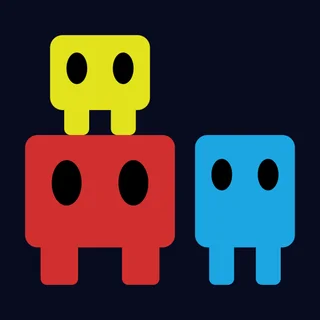
Cubies is a clever cooperative puzzle-platformer designed around teamwork, spatial awareness, and synchronised movement. Two square-shaped companions find themselves navigating compact challenge chambers filled with pressure plates, locked gateways, elevated ledges, and hazardous pits. The objective in every chamber is straightforward: navigate both characters safely to their respective exits. Achieving that requires constant coordination, whether you are sharing the keyboard with a friend or guiding both characters yourself.
The core appeal lies in how the two characters interact with each other and their surroundings. A single cube cannot jump high enough to reach raised ledges on its own, so one player must often serve as a stepping stone or elevator platform for the other. Heavy blocks must be shoved onto floor switches to hold gates open, while timed obstacles require deliberate pacing rather than frantic rushing. If you enjoy the methodical cooperative puzzles of the Fireboy and Watergirl series, Cubies offers a similarly rewarding focus on shared problem-solving.
How to play
The controls are mapped directly to a single keyboard so two players can comfortably sit together at one desk:
- Player 1 (Left side): Use the WASD keys to move left, move right, and jump.
- Player 2 (Right side): Use the Arrow keys to move left, move right, and jump.
- Solo play: If you are playing alone, you can either coordinate both hands on WASD and the arrow keys simultaneously, or move each cube into position sequentially.
- Restart: Press the on-screen reset icon or R key to quickly reload the stage if a block gets trapped against a wall.
Each chamber presents a compact spatial puzzle. You must survey the layout before moving, identifying which buttons trigger specific barriers and which character needs to advance first. Certain pressure plates only remain active while weighted down, meaning one cube must stay on the switch while the partner passes through the gate, finds a moveable crate, and swaps positions.
Practical tips for clearing rooms
- Stack before you jump: When an elevated ledge appears out of reach, move one cube directly against the wall and have the second cube jump on top of it to gain the extra height needed to clear the gap.
- Never push blocks into corners: Crates and weighted boxes can only be pushed forward, not pulled backward. Pushing a crate into a dead-end wall will make it impossible to move again, forcing a stage reset.
- Clear the path before moving forward: Rushing one character ahead into a narrow corridor often blocks the second player from entering. Plan who moves first so neither cube gets trapped behind closed gates.
- Use weights to free up both players: Whenever you locate a pushable block, slide it onto active floor plates so both characters are free to proceed toward the final goal doors together.
Similar games on Fireboy and Watergirl
If you appreciate the cooperative design of Cubies, the Fireboy and Watergirl collection features several other standout puzzle titles. Heart Star challenges you to juggle two distinct characters across color-coded platforms, while Duo Vikings and Double Panda offer engaging team-based platforming with character-specific strengths and environmental puzzles. For a faster-paced arcade challenge with local multiplayer support, Bad Ice Cream provides frantic grid-based action.
Cubies runs smoothly in modern web browsers without requiring accounts, installations, or additional plugins. It is well suited for quick puzzle breaks or cooperative play sessions with a partner.
Questions about Cubies
Is Cubies unblocked at school?
Cubies runs in an ordinary browser tab from fireboyandwatergirl.me, with nothing to download or install, so it plays on most school Chromebooks and work computers. If a network filter blocks the site, only that network's administrator can change it.
Can two players play Cubies on the same keyboard?
Yes, Cubies supports local cooperative play on a single keyboard, where one player controls movement with WASD and the other uses the arrow keys.
Can I play Cubies as a single player?
Yes, a solo player can control both characters directly on the keyboard or switch between them to solve puzzles step by step.
Do I need to install or download anything to play Cubies?
No installation or download is needed. Cubies runs directly in any modern desktop or mobile web browser completely free.
What should I do if a puzzle in Cubies gets stuck?
If a box is pushed into an unreachable corner or a character falls into an inescapable spot, use the quick restart button to reset the current room.
More games
 Poor Bunny
 Basketball Legends
 Duo Survival 2
 Double Panda
 circloO
 BoxRob 2
 Bloxorz
 Elastic Face
 Ludo Hero
 Block the Pig
 Highway Traffic
 Stunt Simulator Multiplayer
 Eggy Car
 Flying Car Simulator
 Drive Mad
 Blumgi Rocket
 Stickman War
 Subway Clash 3D
 Skibidi Shooter
 Paint Strike
 Soccer Skills World Cup
 Basketball Shooter
 Monkey Mart
 Merge Cakes
 A Small World Cup 2
 Basketball Legends 2020
 Bullet Bros